
Why Sculpting Anime‑Style Figures Is Hard: Tricks for Turning 2D Faces into 3D
Practical tips for converting flat anime faces into realistic 3D figures, with insights from FigMee’s own data.
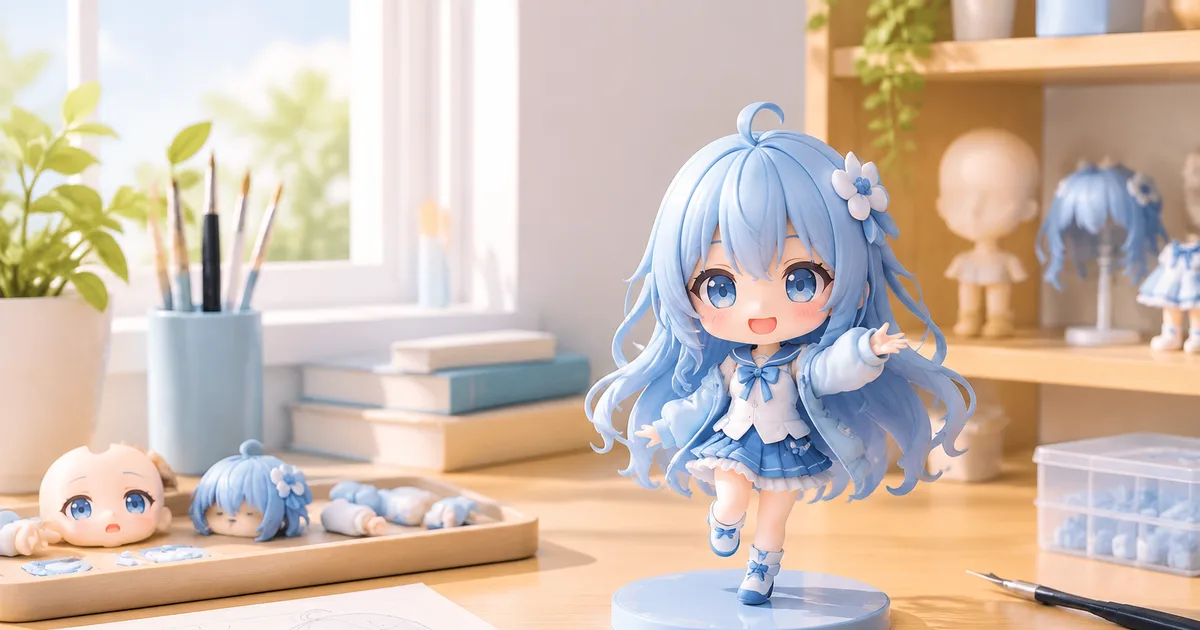
The Core Difficulty of Translating Anime Faces
Anime characters are designed on a flat canvas where the artist can exaggerate proportions, hide depth, and use line work to suggest volume. When a sculptor tries to turn that two‑dimensional (2D) drawing into a three‑dimensional (3D) object, every illusion disappears. The eyes that appear huge on paper suddenly need a realistic socket, the hair that flows in a single plane must occupy space, and the stylized jawline must support a head that can be turned in any direction. The result is a constant battle between staying faithful to the original style and creating a figure that is physically stable and visually coherent.
Common Pitfalls and How to Avoid Them
1. Over‑Scaling Features
Anime often enlarges eyes, heads, or limbs for expressive effect. If you copy those proportions exactly, the figure can look unbalanced or even unprintable. A practical approach is to apply a scaling factor that preserves the character’s personality while keeping the overall silhouette plausible. For example, reduce eye size by 10‑15 % and increase the depth of the eye socket to avoid a flat, glass‑like appearance.
2. Ignoring Hidden Geometry
In a 2D illustration, the back of a character’s hair or clothing is rarely shown. When you model the figure, you must infer the hidden geometry. Use reference images from multiple angles—official model sheets, promotional 3D renders, or fan‑made turnarounds—to fill in the gaps. If no reference exists, apply basic anatomical rules: the scalp follows a rounded dome, and clothing drapes according to gravity.
3. Flattened Shading Becomes Flat Surfaces
Line art and cel shading give the impression of depth without actual geometry. When sculpting, you need to translate those shading cues into real surfaces. For a sharp shadow line, carve a subtle bevel; for a gradient, use a gentle curvature. This technique, often called "surface teasing," helps preserve the visual language of the original art while giving the model tactile depth.
4. Unstable Base Design
Anime figures frequently have exaggerated poses that put the center of mass far from the support point. Without a well‑designed base, the figure will tip over. Consider adding internal supports or a discreetly hidden base that aligns with the character’s aesthetic. FigMee’s own data shows that 53 % of the 428 previews created so far opted for no base, indicating a strong user preference for base‑less designs; however, designers must still ensure stability through internal weight distribution.
Practical Workflow for FigMee Users
- Collect Multiple Views – Upload the original photo and any additional reference images. FigMee’s free preview tool lets you experiment with different angles before committing to a final model.
- Choose a Style Mix – FigMee reports that 40 % of users pick a chibi style, 34 % go realistic, and 26 % stay true to anime. Selecting a style early guides how much you will simplify or exaggerate features.
- Create a Rough Blockout – Start with a simple sphere for the head and cylinders for limbs. Adjust proportions based on the scaling guidelines above.
- Refine Surface Details – Add eye sockets, hair strands, and clothing folds. Use the "surface teasing" method to turn line‑art shading into real geometry.
- Check Printability – Run a thin‑wall analysis and ensure all overhangs are within the printer’s capability. Add internal supports if necessary.
- Iterate with FigMee Previews – Use FigMee’s preview generator to see how the model looks from all sides. Make adjustments before ordering the final print.
FigMee’s Own Production Numbers (as of 2026‑10‑06)
- FigMee has generated 419 figure previews in total, giving creators a concrete sense of how many designs have already been explored on the platform.
- The most popular display choice among the 428 previews is a base‑less design, selected by 53 % of users, showing a clear trend toward minimalist presentation.
These numbers illustrate that the community is actively experimenting with different poses and styles, and that many are willing to tackle the stability challenge of base‑less figures.
Balancing Faithfulness and Manufacturability
The ultimate goal is to create a figure that both anime fans and 3D‑printing technicians can appreciate. Here are three balancing tips:
- Prioritize Silhouette – The overall outline of the character is the most recognizable element. Keep that intact even if you must simplify secondary details.
- Simplify Thin Elements – Extremely thin hair strands or accessories often fail in the printing process. Merge them into broader shapes that still suggest the original design.
- Test with Small Prints – Before committing to a full‑size figure, print a miniature version of the most problematic areas (e.g., hair, accessories). This low‑cost test can reveal hidden issues.
When to Seek Professional Help
If you find that the character’s pose creates an impossible overhang or that the facial features are too intricate for standard consumer printers, consider hiring a professional sculptor or using a higher‑resolution SLA printer. FigMee’s free preview system can still be used to communicate your vision to a specialist, ensuring that the final model matches your expectations.
Conclusion
Turning a 2D anime face into a 3D figure is a blend of artistic interpretation and engineering. By scaling exaggerated features wisely, inferring hidden geometry, converting shading into real surfaces, and ensuring structural stability, creators can produce figures that honor the original artwork while being physically viable. FigMee’s own data shows a vibrant community experimenting with these techniques, and the platform’s free preview tool provides a low‑risk way to iterate.
FAQ
How much should I reduce eye size when converting an anime character?
A typical reduction of 10‑15 % works well; it keeps the eyes expressive but prevents the head from looking top‑heavy.
Can I use FigMee’s free preview without creating a full 3D model?
Yes, the preview generator lets you upload a photo and see a quick 3D mock‑up, which you can refine before ordering a print.
What is the most common cause of print failures for anime figures?
Thin, unsupported elements such as delicate hair strands often break or warp. Simplify these parts or add internal supports.
Do I need a base for every figure?
Not necessarily. While 53 % of FigMee users choose a base‑less design, you must ensure the figure’s center of mass is low enough to stay upright, possibly by adding hidden internal weight.
Want to turn a photo into a figure?
Previews are free. Order only once you're happy with what you see.
Try it for free