
Choosing the Perfect Photo for a Graduation Figure Gift
Practical tips for selecting a photo to turn a graduate’s uniform into a lasting 3‑D figure.
Why a Figure Makes a Meaningful Graduation Gift
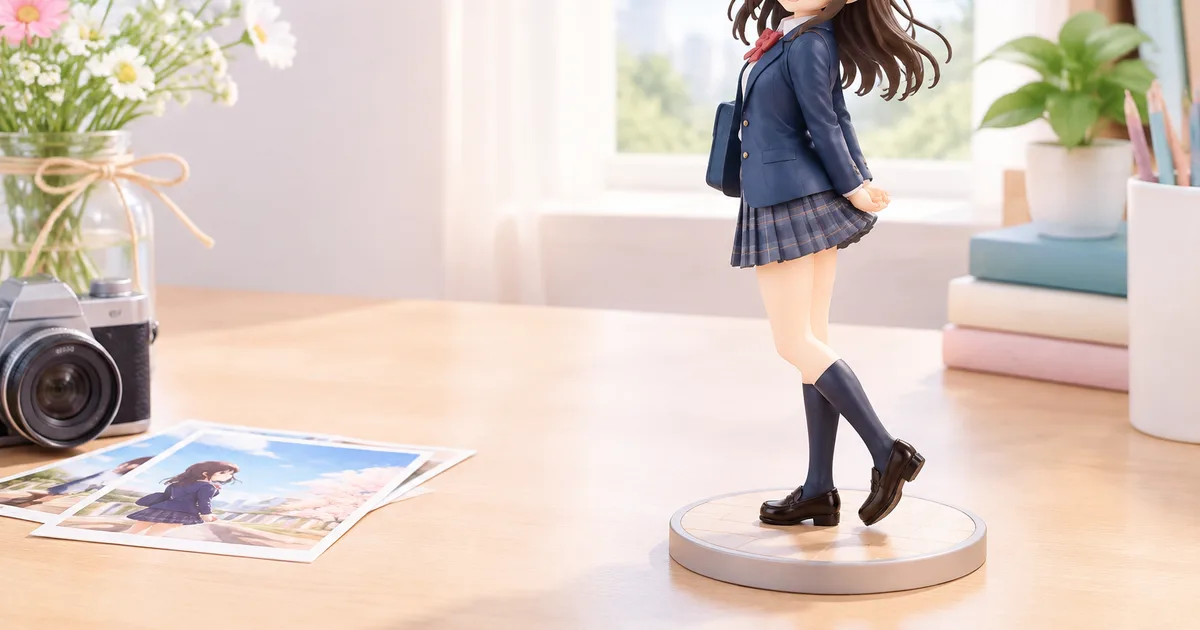
Graduation marks a transition, and a custom 3‑D figure captures that moment in a way a photo or diploma cannot. The figure freezes the graduate’s school uniform, posture, and expression, turning a fleeting ceremony into a lasting keepsake that can sit on a desk, shelf, or bedside table. Because the figure is made from the individual’s likeness, it feels personal without the clutter of multiple framed photos.
Preserving the Uniform Moment
Many families keep the cap, gown, or school blazer, but those items degrade over time. A miniature replica preserves the cut, color, and insignia of the uniform exactly as it appeared on the day of graduation.
Personalization vs Generic Gifts
Unlike mass‑produced memorabilia, a FigMee figure is unique to the recipient. The customization process lets you choose style, pose, and accessories, ensuring the gift reflects the graduate’s personality as well as their academic achievement.
Selecting the Right Photo
The quality of the final figure depends almost entirely on the source photograph. FigMee offers a free preview, but the preview can only be as accurate as the image you upload. Follow these practical guidelines to maximize fidelity.
Resolution and Focus
Choose a high‑resolution image (at least 2000 pixels on the longest side) where the graduate’s face and uniform are sharply in focus. Blurry or pixelated photos will produce indistinct facial features and may obscure small uniform details such as patches or name tags.
Pose and Expression
A neutral or slightly smiling expression works best for most styles. Avoid extreme angles; a straight‑on or three‑quarter view gives the modeling software enough information to recreate depth. If the graduate is holding a diploma or a prop, make sure the hand is clearly visible and not overlapping the face.
Uniform Details and Cleanliness
The uniform should be clean and free of distracting accessories (e.g., backpacks, large jewelry). Ironed fabric reduces shadows that can be misinterpreted as folds or seams. If the school allows a tassel, a hat, or a sash, keep them on the photo if you want them reflected in the figure.
Lighting and Background
Soft, even lighting eliminates harsh shadows that confuse the software. Natural daylight from a window or a diffused studio light works well. Use a plain background—solid white, gray, or a muted school color—so the algorithm can isolate the graduate without manual masking.
Avoiding Common Pitfalls
- Group shots: The system may pick the wrong face.
- Extreme close‑ups: Missing parts of the uniform make it hard to reproduce the full outfit.
- Low‑contrast images: The software struggles to differentiate the uniform from the background.
If any of these issues appear, retake the photo or select a different one before uploading.
Preparing the Image for FigMee
File Format and Size
FigMee accepts JPEG or PNG files up to 10 MB. JPEG is fine for most photos, but PNG preserves more detail if you have a lossless source. Keep the file size under the limit to avoid upload errors.
Cropping and Framing
Crop the image so the graduate’s head and shoulders fill most of the frame, leaving a small margin around the edges. This gives the preview engine room to interpret the silhouette while maintaining a natural proportion for the final figure.
Privacy Considerations
Because FigMee stores the image only for processing and optional public gallery publishing, double‑check that you are comfortable with the level of exposure. If you do not want the figure to appear publicly, simply decline the “publish to gallery” option during the checkout.
Making the Most of FigMee’s Preview Service
FigMee provides a free preview before any payment is required. This lets you see how the chosen style—chibi, realistic, or anime—will render your graduate’s likeness. As of the latest count, FigMee has generated 286 figure previews in total, showing a range of outcomes that can help you set realistic expectations. Use the preview to adjust pose, lighting, or background before confirming the order.
After the Figure Arrives
Display Options
The most popular display choice among FigMee customers is to leave the figure without a base (48 % of previews). A base can add stability and height, but a base‑less figure can sit directly on a desk or shelf for a cleaner look. Consider the graduate’s space and aesthetic when deciding.
Caring for the Figure
The figures are printed with durable resin or polymer material. Dust the surface with a soft brush and avoid direct sunlight for prolonged periods to prevent discoloration. If the figure includes delicate accessories, handle them gently during cleaning.
FAQ
How should I choose between chibi, realistic, and anime styles?
Pick the style that matches the graduate’s personality and the intended display environment. Chibi offers a cute, stylized look; realistic aims for lifelike detail; anime sits between the two with expressive features.
Can I edit the photo after uploading it to FigMee?
No. The preview is generated from the exact image you upload. If you notice issues in the preview, you must upload a new photo and request another free preview.
Is it possible to keep the figure private?
Yes. Publishing to the public gallery is optional. If you decline, the figure remains visible only to you and the recipient.
What if the uniform has unique embroidery or patches?
Make sure those details are clearly visible in the photo and not obscured by shadows. High‑resolution, well‑lit images give the software the best chance to reproduce embroidery accurately.
Want to turn a photo into a figure?
Previews are free. Order only once you're happy with what you see.
Try it for free