
Planning Ahead: How to Reverse-Engineer Your Order Timing for Custom Gifts
Learn how to calculate the ideal order date for custom gifts like 3D figures by working backward from your deadline.
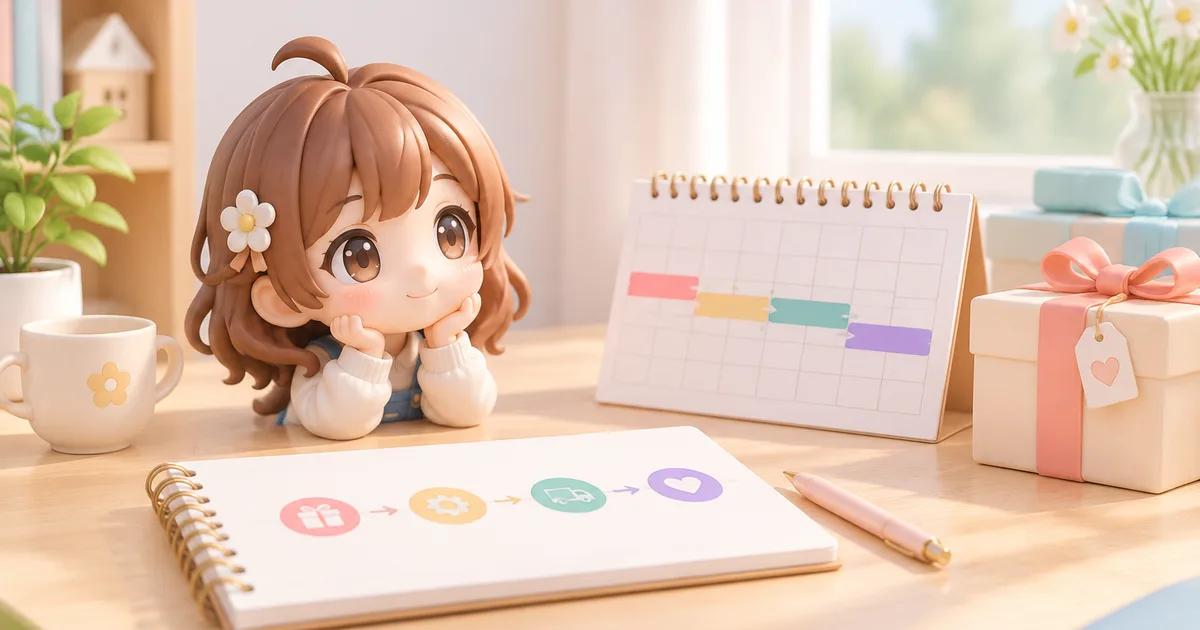
Giving a custom gift—such as a personalized 3D-printed figure created from a photo—offers a level of thoughtfulness that off-the-shelf items cannot replicate. However, bespoke products require a fundamentally different purchasing mindset. When buying a standard item online, you might expect fulfillment within a few days. With custom manufacturing, the timeline depends on multiple sequential phases: digital modeling, revision cycles, physical production, quality checks, and transit.
To ensure your personalized gift arrives in time for a birthday, wedding, anniversary, or retirement, you need to reverse-engineer your ordering schedule. Starting from your target event date and counting backward through each stage prevents last-minute stress and ensures high-quality results.
The Hidden Stages of Custom Gift Creation
Understanding why custom items take time starts with recognizing what happens behind the scenes. Unlike mass-produced goods waiting in a warehouse, a custom gift is manufactured individually from scratch.
1. Source Material Preparation
Before any design work begins, you must gather reference materials. For photo-based products, this means selecting clear photos from multiple angles with adequate lighting. If you are coordinating with friends or family members for a group gift, collecting these materials often takes longer than anticipated.
2. Digital Modeling and Preview Review
Once the manufacturer receives your source photos, digital artists or automated generation systems create a 3D digital model. This stage usually includes a preview step where you review the proposed design. FigMee offers free previews to allow customers to verify the look of their figure before finalizing.
Reviewing options carefully at this point is essential. According to FigMee's service records as of September 14, 2026, user style selections across 68 generated previews were 40% anime style, 34% chibi style, and 26% realistic style. Selecting your desired style early and reviewing the generated preview promptly keeps the production timeline moving forward without unnecessary holds.
3. Approval and Revisions
If adjustments are required—such as fine-tuning facial features or altering pose details—the preview must be updated. Every iteration adds time to the workflow. Even minor revisions require additional processing and human verification.
4. Physical Production and Finishing
After approval, the digital file moves to physical production. For 3D-printed figures, this step involves multi-hour printing processes, post-processing (such as removing support material and smoothing surfaces), curing materials, and conducting quality control inspections.
5. Packaging and Shipping
Custom 3D-printed figures are fragile by nature. Packaging requires custom-fit protective materials, followed by standard postal or courier shipping times. Transit times vary depending on weather, location, and seasonal shipping volumes.
How to Reverse-Engineer Your Order Date
To determine exactly when to hit the order button, build your timeline backward starting from the moment you plan to hand over the gift.
Step 1: Set the Handover Date
Identify the exact day and time you plan to present the gift. If the event involves travel or mailing the gift to a recipient in another city, your target date must be the date you pack your bags or ship the package, not the event itself.
Step 2: Add a Safety Buffer (3 to 7 Days)
Unforeseen circumstances occur frequently in logistics. Carrier delays, severe weather disruptions, or minor administrative hold-ups can easily add several days to transit. Adding a safety buffer ensures that a two-day shipping delay does not ruin a milestone celebration.
Step 3: Estimate Transit and Packaging Time
Check standard transit estimates for your region. Remember that carrier transit times measure business days, excluding weekends and national holidays.
Step 4: Account for Production and Quality Control
Manufacturing time varies based on workload and complexity. During high-demand periods like end-of-year holidays or graduation seasons, production queues expand. Always plan for the upper limit of estimated production windows during peak times.
Step 5: Factor in Preview and Revision Cycles
Allowing time to view and evaluate previews prevents rushed decisions. Based on FigMee's internal data as of September 14, 2026, 59 customers have chosen to publish their completed figure results to the public gallery, reflecting how thoughtfully customers inspect and share their customized items. Allocating two to three days for your own review ensures you do not feel rushed when confirming your design.
Step 6: Set Your Photo Collection Deadline
The start of your timeline is not when you place the order, but when you begin gathering photos. Give yourself a few days to find high-resolution, well-lit photos before starting the ordering process.
Common Timing Pitfalls and How to Avoid Them
Ignoring Business Days vs. Calendar Days
A ten-day production estimate in business days translates to two full calendar weeks. Always convert business-day estimates into real calendar dates on your personal planner.
Delaying Feedback on Previews
Design teams cannot proceed to printing until you sign off on the design. Checking your email regularly during the preview phase avoids unnecessary idle time in the production queue.
Underestimating Seasonal Surges
Custom workshops experience significant volume spikes during holiday and graduation periods. Placing orders well ahead of typical seasonal rushes ensures your project stays on schedule without competing with peak queue delays.
By mapping out every phase from photo gathering to final delivery, you can order your custom 3D figure with complete confidence, ensuring a memorable, personal gift that arrives precisely on time.
FAQ
How much buffer time should I include when ordering a custom gift?
You should build in at least three to seven additional calendar days beyond the estimated production and shipping timeframe. This safety cushion accounts for unexpected courier delays, weather disruptions, or extra time spent reviewing design previews without risking your event deadline.
What happens if I need to make changes during the preview stage?
When you request adjustments during the preview phase, the design process pauses while updates are applied to the 3D model. Each revision cycle typically adds one to three business days to the overall schedule, which is why allocating extra time for preview review is essential.
How do I prepare photos to avoid delays during design?
To prevent delays, gather high-resolution, well-lit photos that clearly show the subject from multiple angles, particularly front and profile views. Avoid using blurry, heavily filtered, or low-light images, as clear source material allows creators to generate accurate models on the first attempt without requesting replacements.
Want to turn a photo into a figure?
Previews are free. Order only once you're happy with what you see.
Try it for free