
Designing Shared Bases, Height Variations, and Pricing for Group FigMee Figures
Practical guidance on base design, height matching, and cost planning for multiple custom 3D‑printed figures.
Introduction
Creating a set of custom 3D‑printed figures for a family, a group of friends, or a corporate team brings unique challenges that differ from ordering a single character. The most visible decisions involve how the figures will be displayed together, how to handle natural height differences, and how to keep the overall cost reasonable. This article walks through each of these aspects with concrete steps you can apply immediately.
Designing a Shared Base
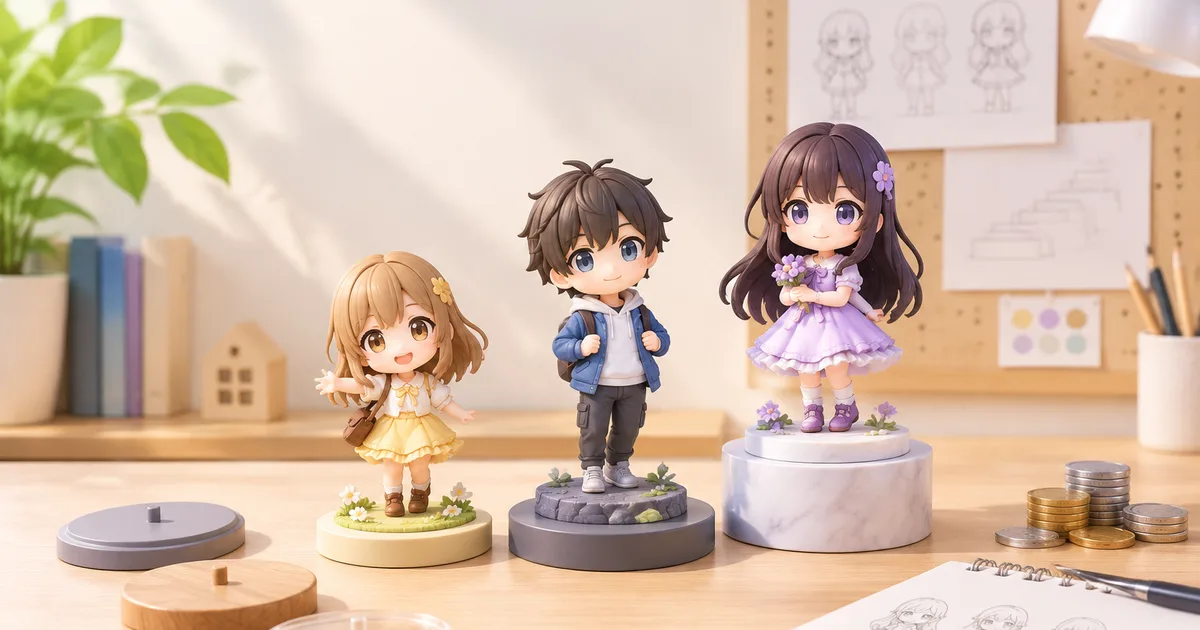
A shared base, or display platform, is the most effective way to present multiple figures as a cohesive unit. Below are the key considerations:
1. Base Shape and Size
- Rectangular or square platforms work well for linear arrangements (e.g., a family line‑up) because they provide clear alignment cues.
- Circular platforms are ideal for more dynamic groupings, allowing figures to be placed at various angles while still appearing unified.
- Measure the footprint of each figure, including any extended poses or accessories. Add a 10‑15 % margin around the outermost points to avoid crowding.
2. Mounting Mechanisms
- Embedded sockets: Design shallow sockets that match the base of each figure’s pedestal. This prevents wobbling and makes swapping figures easy.
- Magnetic inserts: Small neodymium magnets can be embedded in both the figure base and the platform, offering a secure yet removable connection.
- Snap‑fit pegs: Simple plastic pegs that snap into a corresponding hole on the figure’s underside are a low‑cost alternative.
3. Material Choices
- PLA is inexpensive and easy to print, suitable for decorative bases that won’t bear heavy weight.
- PETG offers better durability and a slightly glossy finish, useful for bases that might be handled frequently.
- Resin provides high detail for intricate designs but requires careful handling and post‑processing.
4. Aesthetic Cohesion
- Choose a base color or finish that complements the figures’ palette. Neutral tones (white, matte black, light wood) tend to let the figures stand out.
- Consider adding a subtle texture (e.g., a brushed metal pattern) to break up visual monotony without distracting from the characters.
5. Practical Example
FigMee’s own data shows that out of 456 recent previews, 50 % of customers opted for no base at all, indicating a strong preference for figure‑only displays. However, for groups, a shared base can add stability and visual impact that single‑figure customers often forego.
Managing Height Differences
When a group includes members of varying stature—children, adults, or characters of different ages—height disparity can look jarring. Here are practical ways to harmonize the visual line.
1. Proportional Scaling
- Uniform scaling: Keep each figure at its true height but adjust the pose so that the eye line aligns. For example, have a taller figure sit or crouch while a shorter figure stands.
- Selective scaling: Slightly reduce the height of adult figures (by 5‑10 %) to bring them closer to child figures without making the change obvious.
2. Platform Tiering
- Use a multi‑level base where each tier is a few centimeters higher than the one below. This creates a natural “step” effect that accommodates height differences while keeping the overall silhouette balanced.
- Ensure tier heights are consistent (e.g., 3 cm increments) to avoid a chaotic look.
3. Pose Adjustment
- Encourage poses that draw attention away from the figure’s height. A character holding an object overhead or leaning forward can visually compress the vertical space.
- Avoid overly tall, vertical poses for the tallest figures; instead, opt for dynamic, slightly diagonal stances.
4. Visual Anchors
- Add a shared element—such as a banner, a common prop, or a background element—that runs across the entire group. This unifies the composition and reduces the perception of height gaps.
Pricing Considerations for Group Orders
The cost of multiple custom figures can add up quickly. Understanding how FigMee calculates pricing helps you make informed decisions.
1. Base Price per Figure
- FigMee charges a base fee that covers modeling, material, and printing. The fee is the same regardless of the figure’s height, but larger figures naturally use more material, which is reflected in the final quote.
2. Material and Finish Options
- Standard PLA is the most economical choice.
- Premium finishes (e.g., matte coating, metallic paint) increase the price per figure. If the group shares a uniform finish, you can negotiate a bulk discount directly with FigMee’s support team.
3. Shared Base Costs
- A single shared base is usually cheaper than individual bases for each figure. Factor the base cost into the total and divide by the number of figures to see the per‑figure impact.
4. Volume Discounts
- FigMee often provides a discount when ordering three or more figures at once. While the exact percentage varies, it’s worth asking for a quote that reflects the total quantity.
5. Free Previews
- FigMee offers free digital previews for each figure before you commit to printing. Use this feature to fine‑tune poses, heights, and base designs without incurring extra cost.
6. Real‑World Example
As of 2026‑10‑07, FigMee has generated 447 figure previews in total. This volume shows the service’s maturity and the reliability of its pricing model. When planning a group order, request a combined quote that includes the shared base, any tiering, and the chosen material finishes.
Step‑by‑Step Workflow for a Group Order
- Define the Group: List all participants, noting age, preferred pose, and any accessories.
- Choose a Base Layout: Decide on shape, material, and whether you’ll use tiering.
- Create Individual Sketches: Draft quick sketches of each figure’s pose, focusing on height‑balancing strategies.
- Upload Photos to FigMee: Use the free preview tool to generate a digital model for each person.
- Adjust Heights and Poses: Use FigMee’s preview interface to tweak scaling and pose until the group looks cohesive.
- Design the Shared Base: Either use FigMee’s built‑in base designer (if available) or provide a CAD file that matches the socket dimensions of each figure.
- Request a Quote: Submit the final designs and ask for a consolidated price, mentioning any volume discount interest.
- Review and Approve: Examine the final preview, confirm the base design, and approve the order.
- Receive and Assemble: Once printed, assemble the figures on the base, checking stability and visual alignment.
Practical Tips
- Batch Printing: If you have access to a 3D printer, printing all figures in a single run reduces setup time and can lower material waste.
- Color Consistency: Choose a limited palette for clothing and accessories to keep the group visually unified.
- Future Additions: Design the base with extra sockets or slots so new figures can be added later without redesigning the whole platform.
- Documentation: Keep a simple PDF of the final CAD files and the FigMee preview images for future reference or re‑ordering.
Conclusion
Designing a multi‑figure set requires thoughtful base design, clever handling of height differences, and a clear pricing strategy. By following the steps outlined above—selecting an appropriate shared base, balancing poses and scaling, and leveraging FigMee’s free previews—you can create a cohesive, stable, and cost‑effective display that celebrates every member of your group.
FAQ
How do I ensure the shared base is stable for figures of different weights?
Design the base with reinforced sockets or magnetic inserts that lock each figure in place. Use a material like PETG for the base, which offers higher strength than standard PLA, and add a slight lip around each socket to prevent slipping.
Can I mix different finishes (e.g., matte and glossy) on the same group?
Yes, but mixing finishes can draw attention to individual figures rather than the group as a whole. If you choose mixed finishes, keep the base neutral and consider using a shared prop or banner to maintain visual cohesion.
Is it possible to add new figures to an existing base later?
Design the base with extra sockets or modular slots from the start. This allows you to attach additional figures without needing a completely new platform, saving both time and cost for future expansions.
How many figures can a single shared base realistically support?
The limit depends on the base’s material and design. For most PLA or PETG platforms, a size of about 30 cm × 30 cm can comfortably hold 4‑6 figures with individual sockets. Larger groups may require a tiered or multi‑section base to maintain stability and visual balance.
Want to turn a photo into a figure?
Previews are free. Order only once you're happy with what you see.
Try it for free