
Tips for Custom 3D Pet Figures: Photo Selection and Fur Rendering Realities
Essential photo tips and technical guidance on fur rendering limitations for creating custom 3D-printed pet figures.
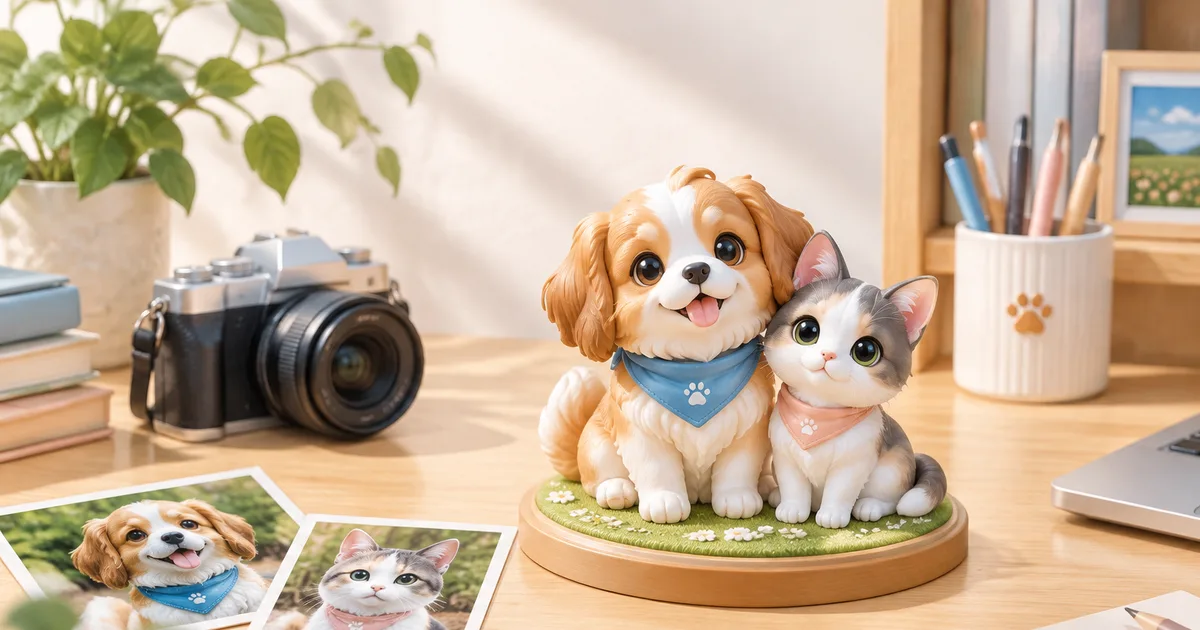
Transforming a treasured photograph of a dog or cat into a tangible, full-color 3D-printed figure requires a shift in how you evaluate imagery. A photograph captures a single moment from a specific point of view, using two-dimensional lighting and focus. A 3D model, however, exists in physical space and must look coherent from every angle. Understanding what makes a photo suitable for 3D reconstruction—and knowing the mechanical boundaries of 3D printing when it comes to animal fur—is essential for achieving a satisfactory result.
Selecting the Right Photographs for 3D Modeling
Creating an accurate 3D asset relies heavily on clear, unobstructed visual reference points. When choosing or taking photos of your dog or cat, keep key technical considerations in mind.
Lighting and Color Fidelity
Uniform, indirect lighting is critical. Direct sunlight creates high-contrast shadows under the chest, belly, and muzzle, while built-in camera flashes flatten surface depth and alter natural coat hues. Overexposed highlights wash out delicate coat patterns, making white or light-colored fur appear as featureless areas. Conversely, underexposed photos of dark-colored pets hide structural details like eye position, nostril shape, and jawlines. The ideal setup is soft, ambient daylight outdoors on an overcast day or near a large window indoors without direct sunlight streaming through.
Camera Angle and Perspective Distortion
Avoid severe top-down or extreme close-up shots taken inches from your pet's nose, which creates wide-angle barrel distortion. While close-up photos can look charming, an exaggerated snout misrepresents the proportions needed for accurate 3D modeling. Aim to shoot at eye level with your pet, stepping back slightly and zooming in or using a standard lens focal length.
Capturing Necessary Angles
While 3D generation tools can estimate unobserved areas, providing comprehensive coverage yields the best results:
- Primary Frontal View: Clear view of the face, chest, and front paws at eye level.
- Profile Views: Left and right side profiles showing body length, leg structure, and spine curvature.
- Rear and Top Views: Shots showing tail attachment, back markings, and ear placement from behind.
Ear and Tail Visibility
Floppy ears, docked tails, or fluffy tails curled over the back must be clearly visible relative to the torso. If your cat's tail is tucked under its body or hidden behind a leg, a 3D artist or automated generator must guess how the tail attaches and curves. Ensure key anatomical landmarks are unobscured by blankets, collars, or furniture.
Understanding the Physical Limitations of 3D-Printed Fur
One of the most common points of confusion when converting pet photos into 3D sculptures is how fur is rendered. Digital screens can render millions of individual hair strands with translucency and motion, but physical 3D printers work with solid materials like resin or gypsum composite powder.
Individual Strands Versus Volumetric Sculpting
Individual strands of fur—especially fine undercoats, whiskers, or long wispy hairs—cannot be printed as standalone physical structures. Hair strands thinner than roughly 0.8 millimeters are structurally unstable; if printed, they would break during cleaning or handling.
To make fur manufacturable, 3D models consolidate hair into volumetric clumps or textured surface planes. Rather than printing separate hairs, the model represents coat texture through stylized ridges, tufts, and solid geometry. Long-haired breeds like Persian cats or Golden Retrievers feature blockier, layered fur geometry rather than soft, individual strands.
Style Choices and Fur Abstraction
Because fur must be simplified into solid geometry, stylistic interpretation plays a significant role in how your pet's coat appears. According to FigMee's own data as of September 17, 2026, across 108 figure previews generated by users, the style mix selected was 38% chibi, 37% anime, and 25% realistic.
Stylized formats like chibi and anime intentionally simplify fine fur into smooth forms or clean tufts, making them particularly well-suited for full-color 3D printing. Realistic styles attempt to mirror natural fur texture through detailed surface displacement, but these remain solid, rigid structures rather than soft hair.
Base Selection and Figure Balance
Physical stability also dictates how features like delicate paws or long tails are rendered. FigMee data as of September 17, 2026 shows that among 108 previews, the most chosen display option was no base at all, selected in 36% of previews. When opting for no display base, the figure must balance securely on its own paws or tail, which may require widening contact points or slightly adjusting posture during the 3D modeling stage to prevent tipping.
Preparing Your Pet for Photo Capture
If you are taking fresh photographs specifically for a 3D figure, a small amount of preparation improves the output quality:
- Groom the Coat: Brushing helps define the natural direction and flow of the coat, removing loose, matted fur that distorts body shape.
- Remove Heavy Accessories: Harnesses, bulky sweaters, or large collars obscure the neck and chest geometry. If you want a collar included, select a simple, flat design.
- Maintain Eye-Level Focus: Hold a treat or toy near the camera lens at the pet's eye level to encourage a neutral pose without excessive tilting.
FAQ
What happens if I only have a single photograph of my pet?
While multiple angles provide the highest accuracy, a single clear photo taken near eye level can still be used. Unseen angles are reconstructed based on standard breed anatomy, though unique coat markings on unphotographed sides may need to be estimated.
Can fine whiskers or eyebrow hairs be 3D printed?
Fine individual whiskers cannot be printed as freestanding structures because they are too thin and fragile. Whiskers are typically represented as subtle surface ridges on the muzzle, suggested through printed colors, or omitted for structural durability.
Does FigMee allow me to view the model before purchasing?
Yes, FigMee offers free previews so you can review the generated 3D digital model and evaluate its pose, style, and proportions before deciding to place an order.
Want to turn a photo into a figure?
Previews are free. Order only once you're happy with what you see.
Try it for free