
 Figurine
 Charm
 Magnet
 Relief
 Vent clip
 Tray
Yes, you can turn dog and cat photos into Figmee figures, but there are limits
Figmee can create 3‑D printed figures from most dog and cat photos, though very low‑resolution or complex poses may not translate well.
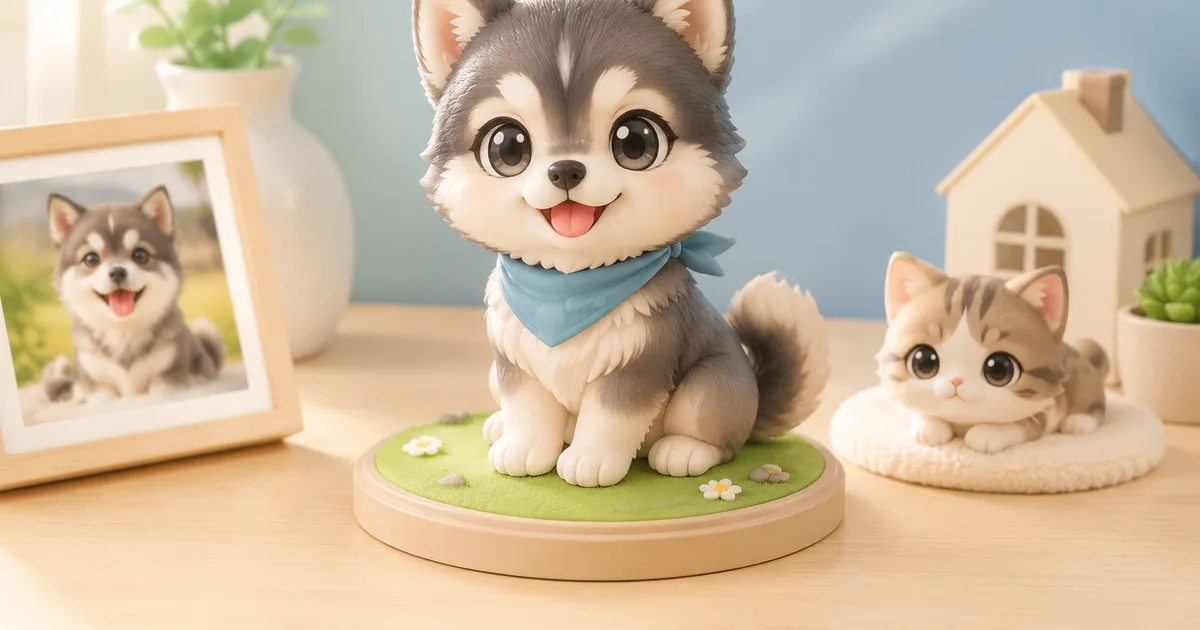
Figmee can turn most dog and cat photos into 3‑D printed figures, though complex poses and low‑resolution images may not reproduce well.
How Figmee processes pet photos
Figmee’s pipeline starts with a 2‑D image that is fed into a custom AI model trained on thousands of animal silhouettes and human figures. The model extracts the outline, estimates depth, and builds a mesh that can be printed. Because the system was originally built for human avatars, it works best when the animal’s body is clearly separated from the background and when the pose resembles a standing or sitting posture. After the mesh is generated, Figmee offers three style presets – chibi, anime, and realistic – that apply surface detail and proportion tweaks before the file is sent to a 3‑D printer.
What works well: ideal photo conditions
- Clear background – A solid‑color or lightly textured backdrop helps the AI distinguish the pet from surrounding objects. A plain wall, sheet, or outdoor sky works.
- Good lighting – Soft, even lighting reduces harsh shadows that can be misinterpreted as extra geometry. Overexposed or underexposed areas often lead to missing limbs or distorted fur.
- Simple pose – Front‑facing or three‑quarter views with the animal standing, sitting, or lying on its side are easiest for the model. Poses with limbs crossing over the body or the head turned sharply can cause the mesh to collapse.
- Sufficient resolution – Images larger than 1200 px on the longest side give the AI enough pixel data to capture facial features and fur texture. Below that, details such as whiskers or ear shape may be lost.
Common challenges and how to mitigate them
| Issue | Why it matters | Practical tip |
|---|---|---|
| Low‑resolution photos | The AI cannot infer fine details, resulting in a blocky or feature‑less figure. | Use the highest‑resolution file you have; avoid screenshots or heavily compressed JPEGs. |
| Busy backgrounds | The model may blend background elements into the mesh, creating unwanted protrusions. | Shoot against a plain sheet, a solid wall, or use a shallow‑depth‑of‑field portrait mode to blur the background. |
| Complex poses | Overlapping limbs confuse depth estimation, leading to missing or merged parts. | Choose a pose where the limbs are clearly visible and not tangled. If you love a specific action shot, consider taking a second, simpler reference photo for the AI and later editing the printed figure. |
| Fur patterns with low contrast | Subtle fur color changes can be interpreted as flat surfaces, losing the pattern on the final figure. | Ensure the animal’s coat contrasts with the background; a light‑colored dog on a dark wall or vice versa helps preserve pattern. |
Preparing your photo for the best result
- Select the right image – Pick the clearest, highest‑resolution picture that meets the criteria above. 2. Crop tightly – Remove excess space around the pet so the subject fills most of the frame. 3. Adjust exposure – Use a photo editor to brighten shadows and tone down blown‑out highlights without altering the animal’s true colors. 4. Save as PNG or high‑quality JPEG – Figmee’s preview tool accepts both, but PNG preserves detail better. 5. Upload and request a free preview – Figmee offers a complimentary digital preview that shows the mesh and style options before any printing commitment.
Figmee’s style options and real‑world usage data
Figmee lets customers choose among three visual styles. Among the 1,416 previews that included style data as of November 16 2026, 38 % of users selected the chibi style, 36 % chose anime, and 26 % went for realistic. The most popular display choice is “no base,” used by 69 % of those previews, meaning the figure stands on its own without an additional platform. These numbers illustrate that many pet owners prefer a stylized, compact figure that emphasizes personality over exact anatomical fidelity.
Practical steps after you receive the figure
- Inspect for missing parts – Small paws or ears can occasionally detach during printing. If a part is missing, Figmee’s support can provide a replacement mesh file for re‑printing.
- Apply protective coating – A light spray of clear acrylic sealant helps preserve the paint and reduces dust buildup.
- Display considerations – Because most customers choose a “no base” option, place the figure on a stable surface away from direct sunlight to avoid warping.
FAQ
Can I use a photo of my pet with a toy or other objects in the frame?
Yes, but the additional objects should be far enough away that the AI can still isolate the pet. Overlapping items may be incorporated into the mesh, creating unwanted geometry.
What if my pet’s pose is too complex for the preview?
If the preview shows missing limbs or distorted shape, try uploading a second, simpler reference photo. You can also request a manual adjustment from Figmee’s design team, though that service may incur an extra fee.
Want to turn a photo into a figure?
Previews are free. Order only once you're happy with what you see.
Try it for free