
 Figurine
 Charm
 Magnet
 Relief
 Vent clip
 Tray
You can use photos with glasses, hats, or masks, but follow these guidelines
Glasses, hats, or masks are acceptable for Figmee figures if key facial features are clear; follow these practical tips.
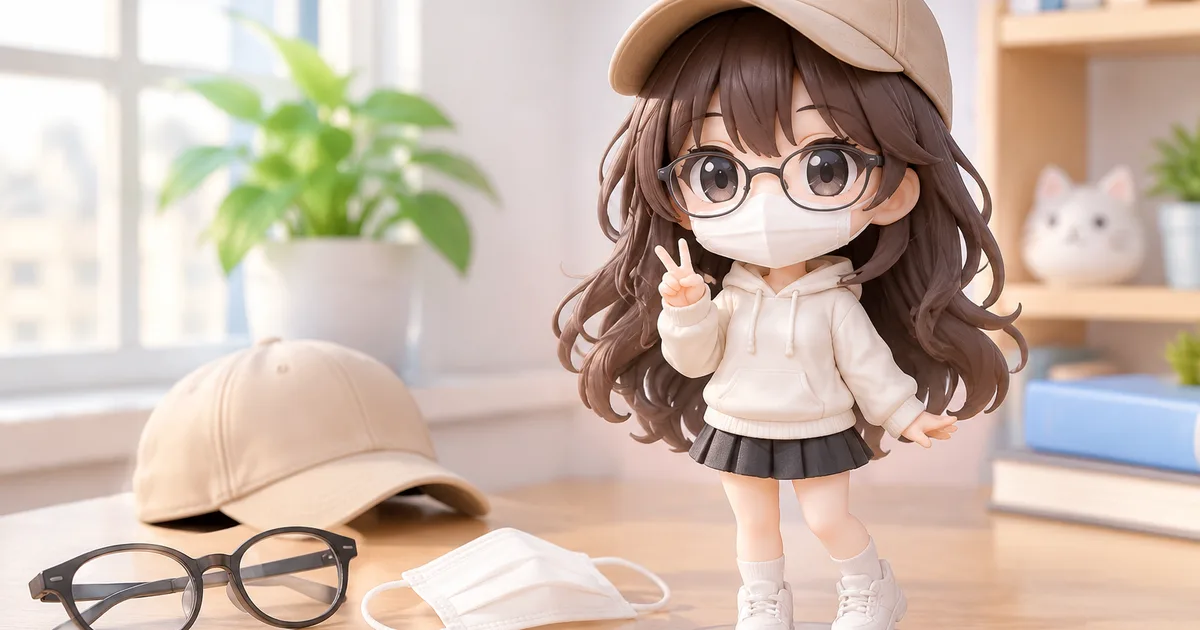
Photos that include glasses, hats, or masks can be used for Figmee figures, as long as key facial landmarks remain visible.
Understanding how accessories affect the model
Figmee creates a 3‑dimensional replica by mapping a 2‑D image onto a pre‑defined head mesh. The algorithm relies on detecting the eyes, nose bridge, mouth corners, and chin contour. When a pair of glasses sits on the nose, the lenses often obscure the eye region, while a brimmed hat can hide the forehead and hairline. Masks, especially those covering the lower half of the face, can hide the mouth and chin. If these landmarks are completely blocked, the software may place the features in the wrong spot, resulting in a figure that looks off‑center or has distorted expressions.
Tips for selecting photos with partial coverage
- Choose clear eye visibility – Even if the wearer has glasses, make sure the lenses are not reflective and the eyes are visible through them. A slight tilt that reduces glare helps the detection algorithm.
- Leave the upper lip and chin exposed – Hats that sit low on the forehead are fine, but avoid those that cover the hairline and eyebrows. If a mask is used, opt for a design that leaves the mouth area uncovered, or take a second photo without the mask for reference.
- Use high‑resolution images – A resolution of at least 1200 px on the longest side gives the software enough pixel density to differentiate between the accessory and the underlying facial feature.
- Maintain a neutral expression – Smiles that stretch the mouth or squint the eyes can make it harder for the system to locate the true corners of the mouth and eyes, especially when glasses are present.
- Provide a plain background – A solid, contrasting background reduces confusion between the edge of a hat brim and the head outline.
How Figmee processes hidden features
When the algorithm detects missing landmarks, it applies a fallback routine that interpolates the missing points based on the visible ones. This works reasonably well for minor occlusions, such as thin‑framed glasses that only partially cover the eyes. However, for larger occlusions—like a full‑face mask—the fallback may produce a generic shape that does not match the individual's unique contours. In those cases, Figmee offers a free preview so you can see the result before committing to a print. If the preview shows unsatisfactory alignment, you can upload an alternative photo that meets the visibility guidelines.
Figmee has generated 1,514 figure previews, and 41% of the 1,508 previews used the chibi style, showing that many users experiment with different looks before finalizing a design. The free preview feature lets you test whether the chosen photo, even with accessories, yields a satisfactory model without any cost.
Practical workflow for customers with accessories
- Take two photos – One with the accessory (glasses, hat, or mask) and one without. Upload the accessory‑free version first to establish a baseline model.
- Compare the previews – If the baseline looks correct, switch to the accessory‑laden photo and generate a second preview.
- Assess landmark alignment – Look closely at the eyes, nose bridge, and mouth in the preview. If they appear shifted, consider adjusting the photo angle or removing the accessory.
- Iterate – Small changes, such as tilting the head a few degrees or adjusting lighting, often resolve detection issues.
- Finalize – Once the preview matches your expectations, you can proceed to order the 3‑D printed figure.
By following these steps, you reduce the risk of receiving a figure with misplaced facial features, even when the source photo includes glasses, hats, or masks.
FAQ
Can I use a selfie taken with a phone camera?
Yes, as long as the image meets the resolution and lighting guidelines and the key facial landmarks remain visible.
What if my mask covers the entire lower half of my face?
The preview may not capture your unique mouth and chin shape accurately; we recommend providing an additional photo without the mask for a more precise model.
Want to turn a photo into a figure?
Previews are free. Order only once you're happy with what you see.
Try it for free