
Can side‑profile or angled photos be turned into a Figmee figure?
Side or angled photos work, but frontal shots capture the most detail; follow these tips to get a good result.
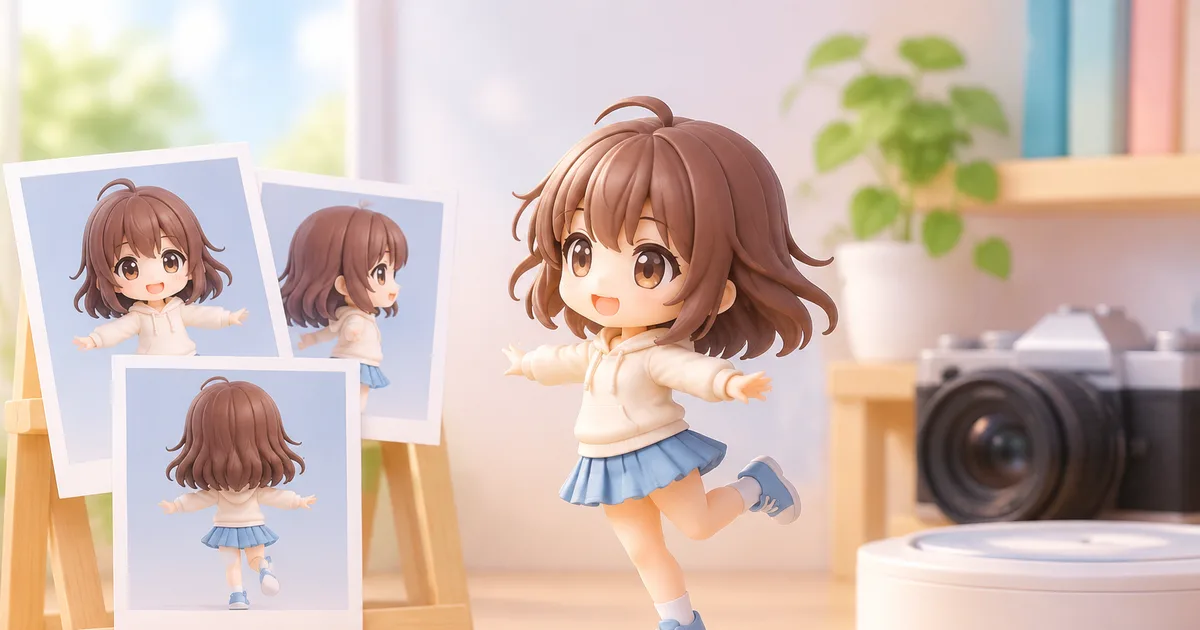
Yes—you can create a Figmee figure from a side‑profile or angled photo, but a frontal shot still captures the most facial detail.
Why frontal photos work best
A front‑on portrait shows the full symmetry of the face: both eyes, nose, mouth, and chin are visible at once. The 3‑D modeling algorithm can match each feature to its counterpart on the opposite side, reducing guesswork. When only one side is visible, the software must infer the hidden half, which can lead to slight distortion of the cheek, jawline, or ear placement. That’s why Figmee’s guidelines usually recommend a straight‑on shot for the most faithful replica.
How angled photos affect feature capture
Visible features
From a 45‑degree angle you typically see one eye, the nose bridge, one ear, and a portion of the cheek. The software can still map these points, but it has less information about the opposite eye and ear. The result is often a figure that looks accurate from the presented angle but may appear “off‑center” when viewed head‑on.
Hidden features
Features that are turned away—such as the far‑side eye, ear, or the full shape of the jawline—must be estimated. The algorithm uses statistical averages from its database, which works well for generic shapes but may miss personal quirks like a distinctive dimple or a scar.
Style impact
Figmee offers three main styles: chibi, realistic, and anime. Chibi figures exaggerate proportions (big head, small body), so missing side details are less noticeable. Realistic and anime styles retain more facial nuance, making a clear front view more important for those styles.
Choosing the right photo when you lack a front view
- Select the clearest angle – If you only have side or three‑quarter shots, pick the one where the eye is open, the mouth is relaxed, and lighting is even.
- Combine multiple images – Figmee’s preview tool allows you to upload a second reference image. Upload a side view for shape and a frontal selfie for eye detail; the system will blend the data.
- Use a mirror – Take a photo of yourself looking at a mirror; the reflection gives a pseudo‑front view while preserving the natural lighting of a side angle.
- Avoid heavy shadows – Shadows hide contours that the software needs to interpret. Soft, diffused lighting works best for any angle.
Practical tips for side or angled shots
- Keep the head straight – Tilt the head up or down no more than 15 degrees; extreme tilts distort the perceived proportions.
- Maintain a neutral expression – Smiles or frowns change the shape of the mouth and cheeks, which can confuse the model when only one side is visible.
- Use a plain background – A solid, non‑reflective backdrop helps the algorithm isolate the face.
- High resolution – Aim for at least 1500 px on the longest side; low‑resolution images lose fine details like skin texture that influence the final figure.
- Consistent distance – Keep the camera at a similar distance to the face as you would for a frontal portrait; too close crops out the ear, too far reduces detail.
Figmee’s own preview data
As of Oct 31 2026 Figmee has generated 860 figure previews, showing that many users experiment before ordering. Among the 883 previews that include style choices, 38 % selected the chibi style, which tends to hide minor asymmetries that can arise from angled photos.
FAQ
Can I request a custom pose if I only have a side photo?
Yes, Figmee’s design team can adjust the pose after the preview stage, but the base facial geometry will still be derived from the images you provide.
Will the final 3‑D print look different from the preview if I used a side view?
The printed figure will match the preview closely; however, any estimation the software made for hidden features may become more apparent in the physical model.
Do I need to pay for extra reference images?
Figmee offers free previews and allows you to upload a second reference image at no extra cost.
Which style is most forgiving of an angled photo?
The chibi style, because its exaggerated proportions reduce the visual impact of minor asymmetries.
Want to turn a photo into a figure?
Previews are free. Order only once you're happy with what you see.
Try it for free