
Yes—you can combine two separate photos into one Figmee figure even without a joint picture
Figmee can merge two individual photos into a single 3D‑printed figure; use editing tools, consistent lighting, and clear poses to get the best result.
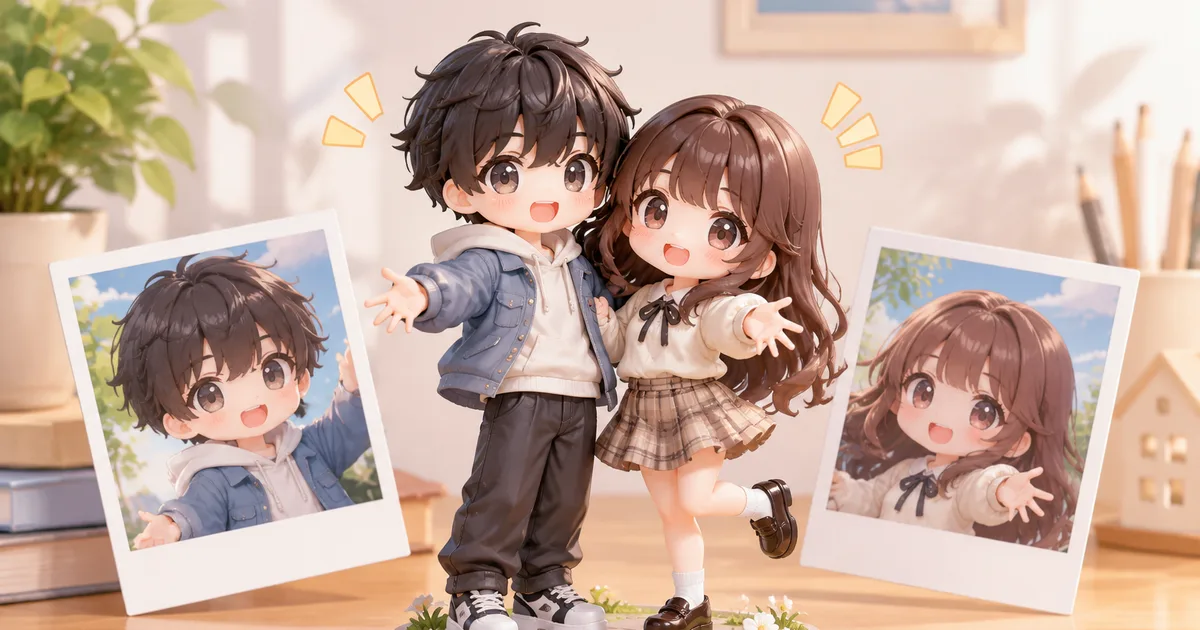
Yes—you can create a single Figmee 3D‑printed figure that combines two people even when you only have separate photos of each.
How Figmee builds a figure from a single image
Figmee’s workflow starts with one high‑resolution portrait that shows the subject from the front, shoulders up. The software extracts the facial geometry, hair outline, and key body proportions, then maps them onto a 3‑D mesh that can be rendered in several styles (chibi, realistic, anime). Because the algorithm is trained on a single‑person dataset, it expects a clear view of the head and shoulders without other people or objects in the frame. Once the mesh is generated, Figmee offers a free preview so you can verify the likeness before ordering the physical print.
When you lack a joint photo: practical work‑arounds
If you want a family scene, a parent and child, or a tribute to a deceased relative, but you only have individual portraits, you can still achieve a convincing combined figure by following these steps:
- Choose a common pose – Select photos where each person is facing the camera, with a neutral expression and similar head tilt. The more alike the angles, the easier it is for the software to align the two meshes later.
- Match lighting and background – Aim for comparable lighting direction and a plain background (white or solid colour). Consistent shadows reduce the need for heavy post‑processing.
- Crop to the same framing – Use an image editor to cut each portrait so the head occupies roughly the same proportion of the canvas. Save the files at the same resolution (e.g., 2000 × 2500 px).
- Upload separately and request a custom merge – Figmee’s support team can receive the two previews, align the meshes side‑by‑side, and adjust spacing. The final model will show the two figures standing next to each other on a shared base or without a base, depending on your preference.
Preparing the photos for the best merge
Even though Figmee only needs one picture per figure, the quality of the combined result depends heavily on the source images. Here are detailed tips:
- Sharp focus – Use a camera or smartphone on a tripod. Avoid motion blur; the eyes and mouth should be crisp.
- Even illumination – Soft, diffused light (e.g., from a window with a sheer curtain) prevents harsh shadows that the algorithm might misinterpret as facial contours.
- Neutral expression – A relaxed smile or slight smile works best. Extreme expressions can distort the mesh.
- Avoid accessories that hide features – Remove glasses, hats, or heavy earrings that cover the eyes or ears unless you want them reproduced exactly.
- Consistent clothing style – If you want the two figures to look like a cohesive pair, choose similar clothing colours or styles. The software captures the outline of the top half of the torso, so a plain shirt works better than a busy pattern.
After you have edited the photos, upload each file to Figmee’s preview portal. The system will generate two separate meshes; you can then request a “dual‑figure” preview. Figmee’s team will place the meshes on a single virtual platform, adjust the distance between them, and send you a combined image for approval.
Limitations you should be aware of
While the process is reliable, there are a few constraints to keep in mind:
- Depth perception is limited – Because the source is a flat portrait, Figmee cannot infer the exact depth of the shoulders or torso. The resulting figure will have a standardized body shape that may not match the exact physique of the subject.
- Hair volume may be simplified – Very voluminous or asymmetrical hairstyles can be rendered as a smoother silhouette. If hair detail is crucial, choose a photo that shows the style from the front.
- No full‑body poses – Figmee currently creates figures from shoulder‑up images only. If you need a full‑body scene, you would have to order two separate figures and arrange them yourself after printing.
- Base selection – The most common choice among Figmee users is “no base” (61% of 951 previews), which makes it easier to place two figures side‑by‑side. If you prefer a shared pedestal, request a custom base during the preview stage.
Figmee’s own data shows that, as of November 4 2026, the service has generated 935 figure previews in total, and among the 951 previews that included style selection, 37% chose the chibi style, 31% realistic, and 31% anime. These numbers illustrate the variety of aesthetic preferences but do not affect the technical steps described above.
What to expect after you approve the preview
Once you sign off on the combined preview, Figmee will produce the physical model using its standard 3‑D‑printing pipeline. The final product will be a single printed piece that contains both figures, either standing on a shared base or floating if you selected the “no base” option. The material is a durable, matte‑finish resin that captures fine facial details. Shipping times, pricing, and guarantees are handled on a case‑by‑case basis; Figmee does not promise any specific delivery schedule in its public documentation.
FAQ
Can I merge more than two people into one figure?
Figmee’s current workflow supports up to two separate meshes in a single preview. For larger groups you would need to order multiple figures and arrange them manually after printing.
What if the two photos have different background colours?
A plain, uniform background is ideal, but you can replace the background in an image editor before uploading. As long as the subject is clearly separated from the backdrop, Figmee can isolate the face and shoulders correctly.
Is it possible to add a custom inscription or name plate to the combined figure?
Yes, you can request an additional engraving or a small plaque during the order process. This is handled as an optional add‑on and is not part of the standard preview.
Do I need to pay for the preview before deciding?
Figmee offers free previews for all custom requests, including the dual‑figure merge. You only incur cost when you place the final order for the printed model.
Want to turn a photo into a figure?
Previews are free. Order only once you're happy with what you see.
Try it for free